
Rotational Shape in Simulations
Requires Termica Neo version 1.5 or later
1. Introduction
The shape of the reacting media can be different. But in many cases this shape has rotational symmetry. The rotational shape is very important for the high energetic materials, for ceramic production, for polymers and composite materials.
For this purpose, the new shape with axial symmetry and arbitrary rotational profile is created in Termica Neo software.
In this guide we will show how you can create or modify the reacting volume with rotational shape and how to simulate the reaction in this volume.
2. Load the Sample Data Project
Click on the File tab on the top left of Termica Neo window to open the application menu. In the application menu click on Open. In the Open Project panel click on Samples button. The File Open dialog will be shown and the local file folder C:\Users\Public\Documents\NETZSCH\Termica Neo\Samples will be loaded. Our sample is located in the folder Rotational_Shape:
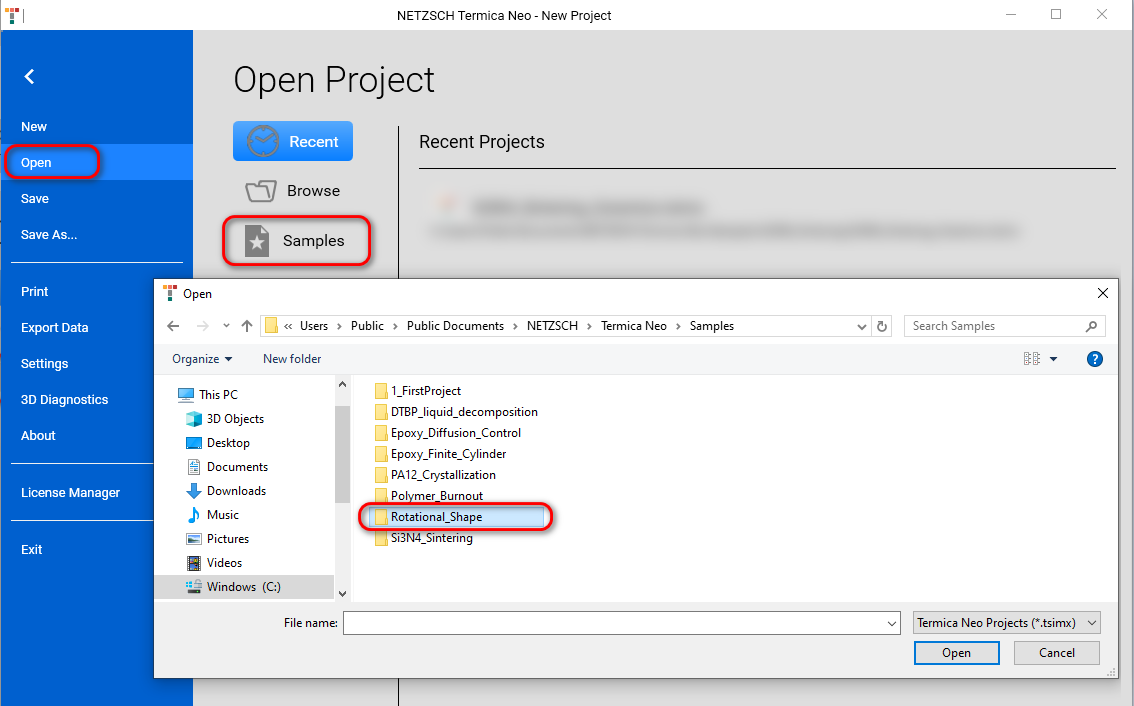
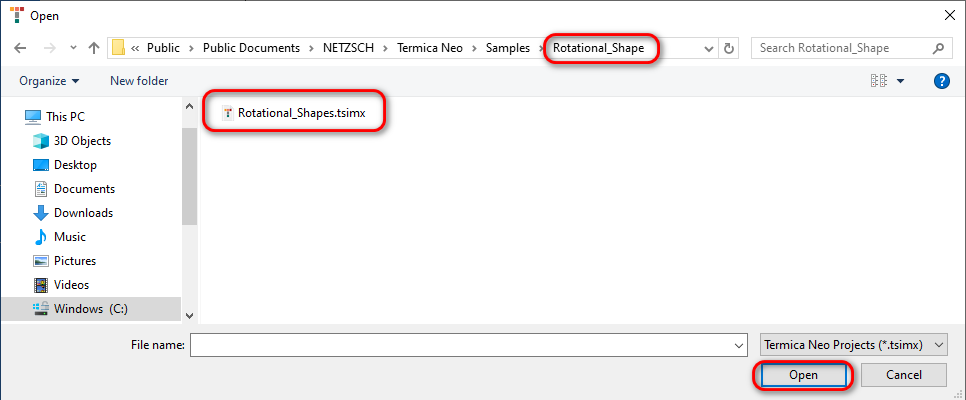
Open Folder Rotational_Shape and open file Rotational_Shapes.tsimx
This project contains several rotation shapes, which could be seen in the section Container + Surrounding of the Project panel:

3. How to Edit the Vertical Profile
There are two possibilities of changing the vertical profile: edit in external text file or edit profile directly in the Termica Neo software.
3.1 Edit profile in external text file
Export Vertical Profile to the external text file, edit in Notepad or Microsoft Excel and then import it to Termica Neo.
You can select the container Bottle in Container + Surrounding section and export it to the text file by click on Export after Vertical Profile table.
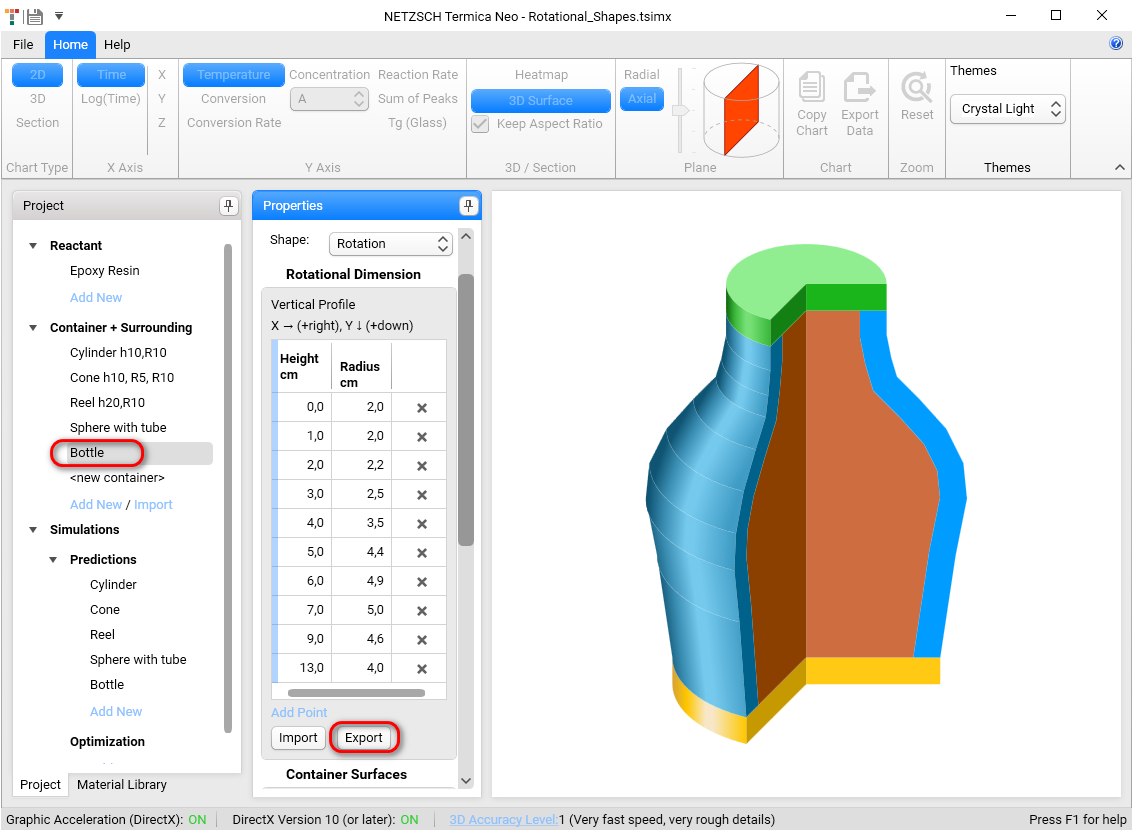
Please save it to MyVerticalProfile.txt, where the number of exported digits can be set before export in File-Setting-Digital Precision of Exported Data.
Decimal separator in the file can be dot or comma depending on the local settings on your computer and corresponds to those which you see in Microsoft Excel.
In this example the comma is shown as the decimal separator for German regional settings:
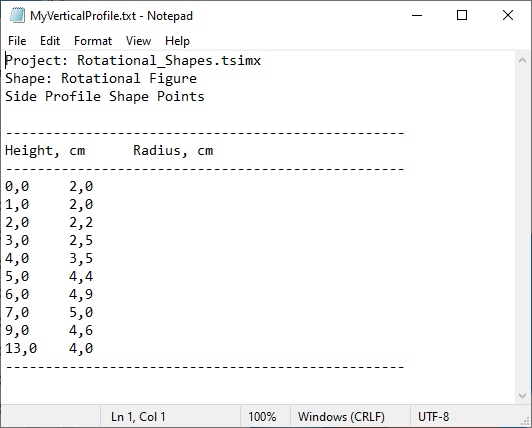
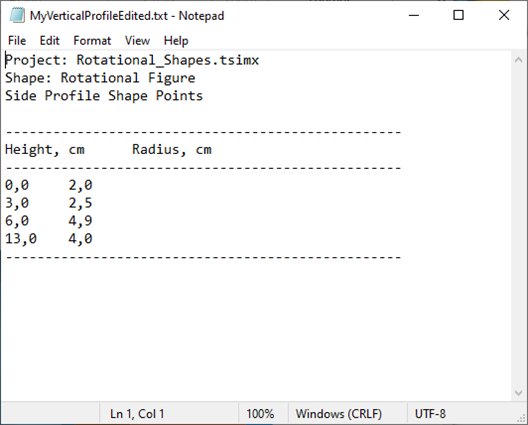
Please edit file manually by keeping the lines with heights 0,3,6,13 and save it to MyVerticalProfileEdited.txt :
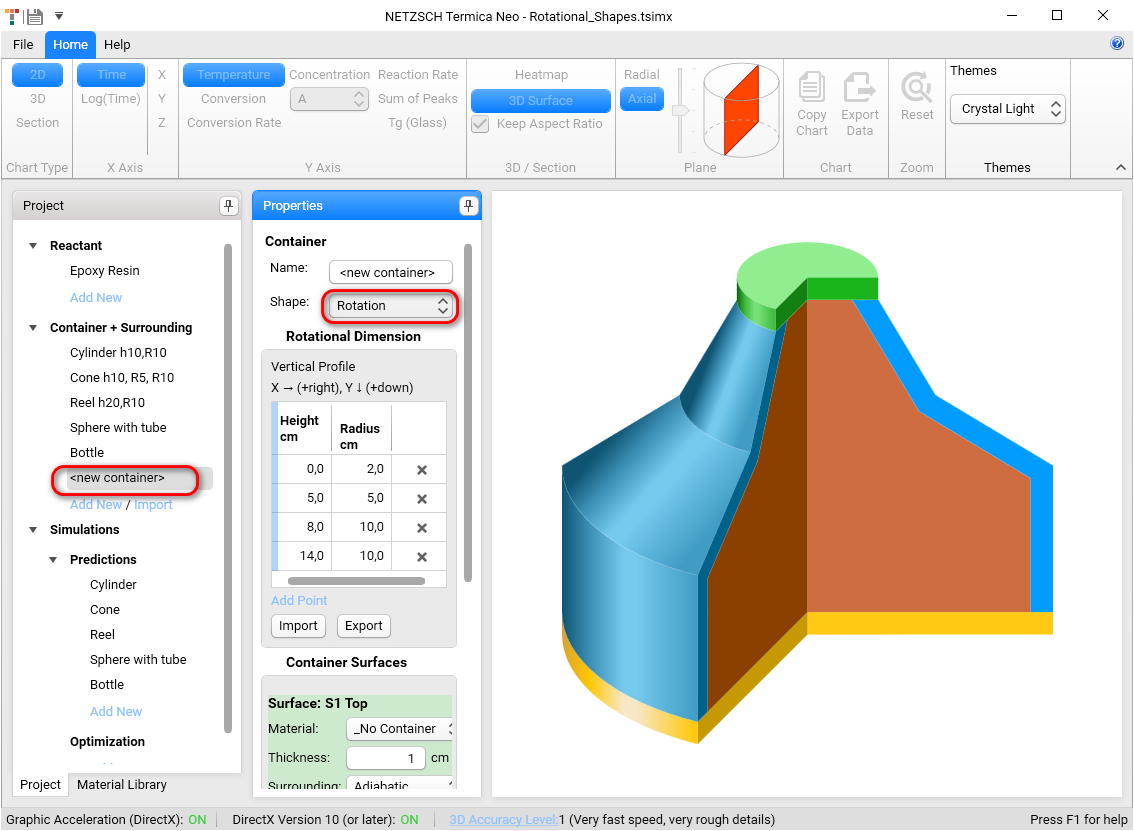
Create new container of rotational shape by click on Add New in section Container + Surrounding in Project panel and select Rotation Shape in Properties panel:
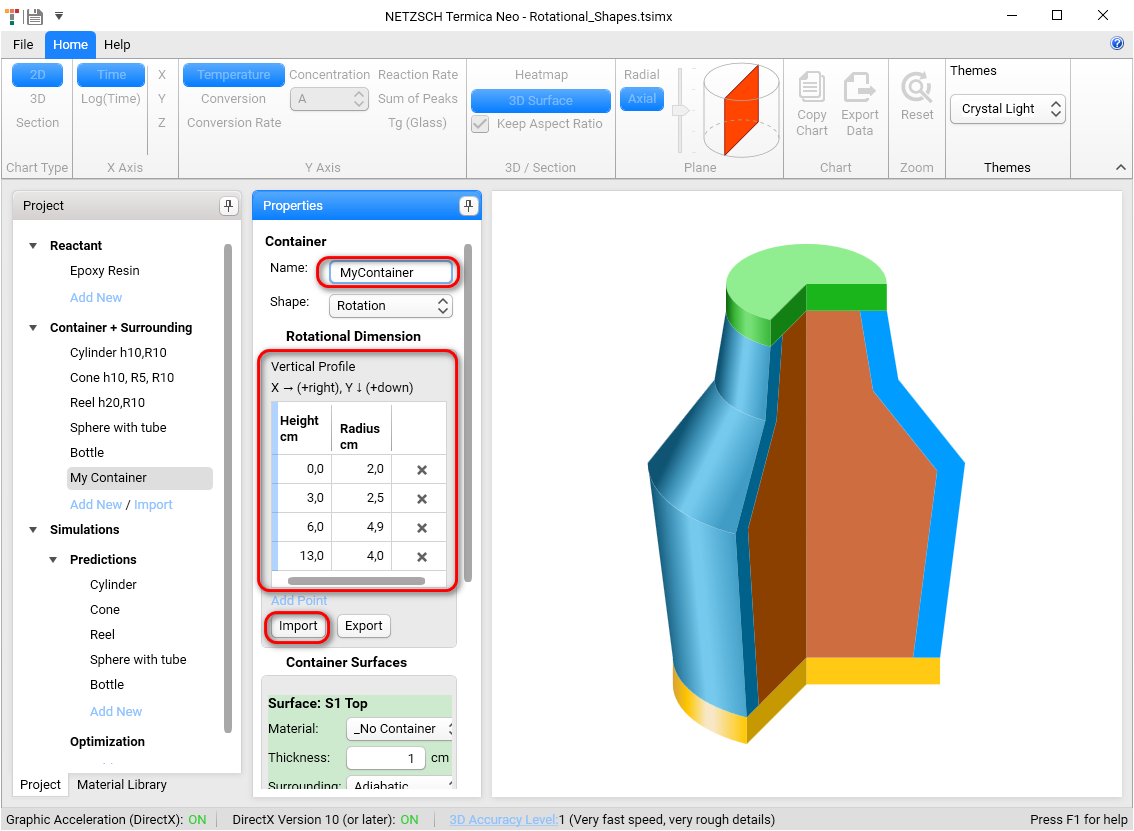
You can set the container name MyContainer and import your edited vertical profile by click of Import below the Vertical Profile table and import from the file MyVerticalProfileEdited.txt. The profile from the file will be loaded:
3.2 Edit Profile in Termica Neo
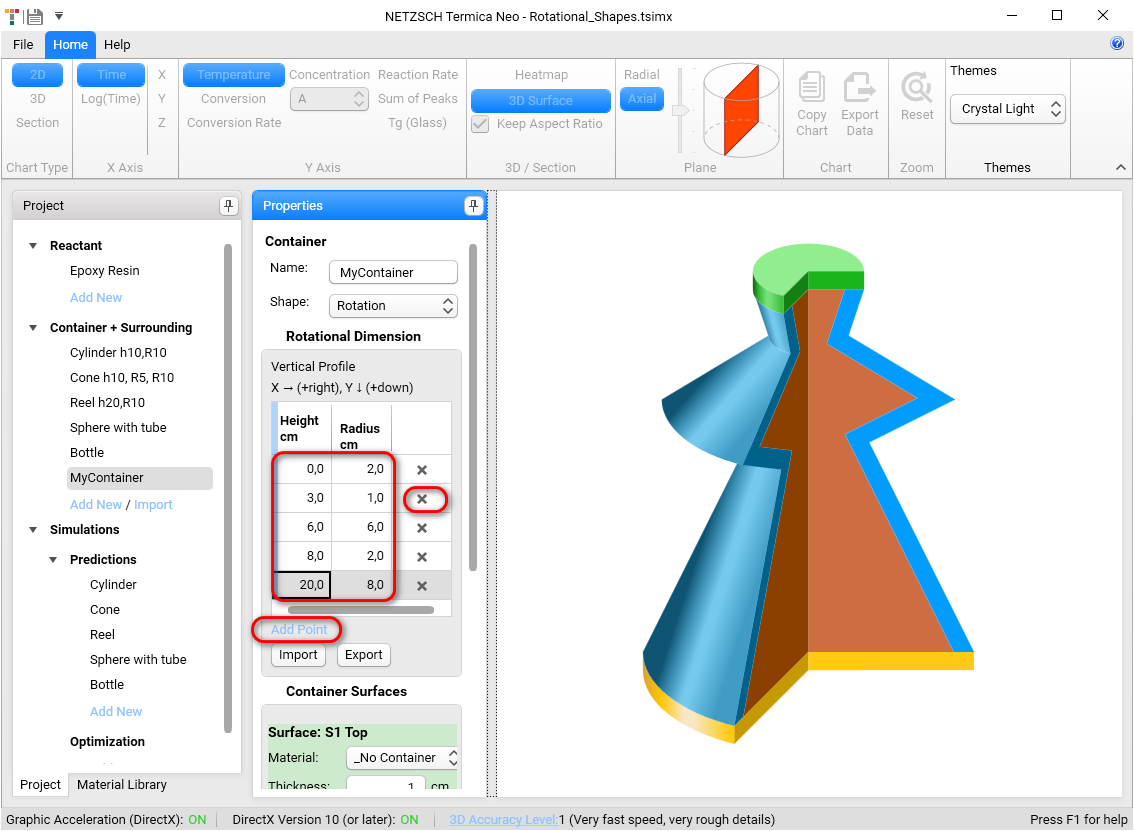
You can also add or remove the profile point or edit directly in the Vertical Profile table:
Please note:
- The rotational shape starts always with the point of the zero-height. If this point is not present, then the simulation will be incorrect.
- The height positions must be always sorted by increasing order.
- The units are always cm.
4. Simulations
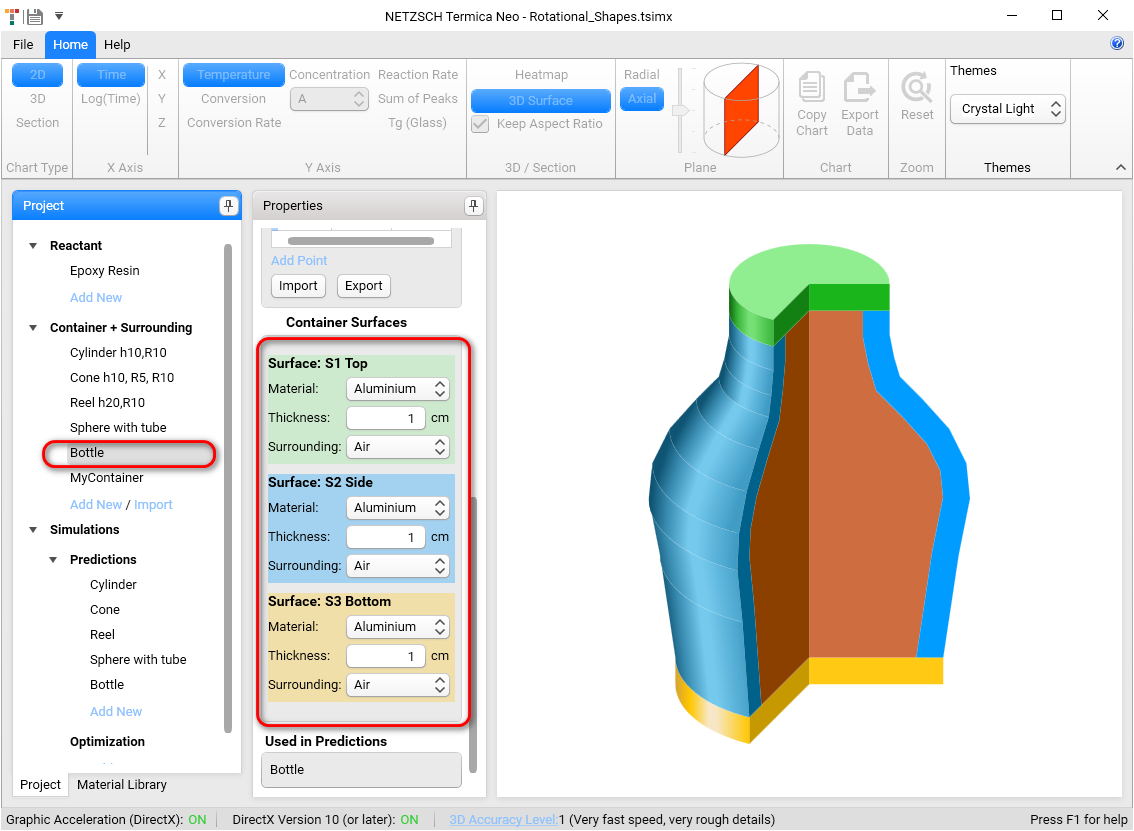
The rotational shape contains three surfaces: top, side and bottom, like the cylinder.
These three surfaces can have the different containers, where each of them has the own thickness and container material. This properties can be set in Container Surfaces section in the Properties panel for the selected container:
For the fastest simulation please select 3D Accuracy Level 1. Click on 3D Accuracy Level on the status line and change it is the Settings. In this case the number of the nodes for simulation is minimal and the simulation itself is very quick.
Return back to the simulation by clicking Home on the top ribbon.
Click on Calculate on the botton of the Properties panel for selected simulation.
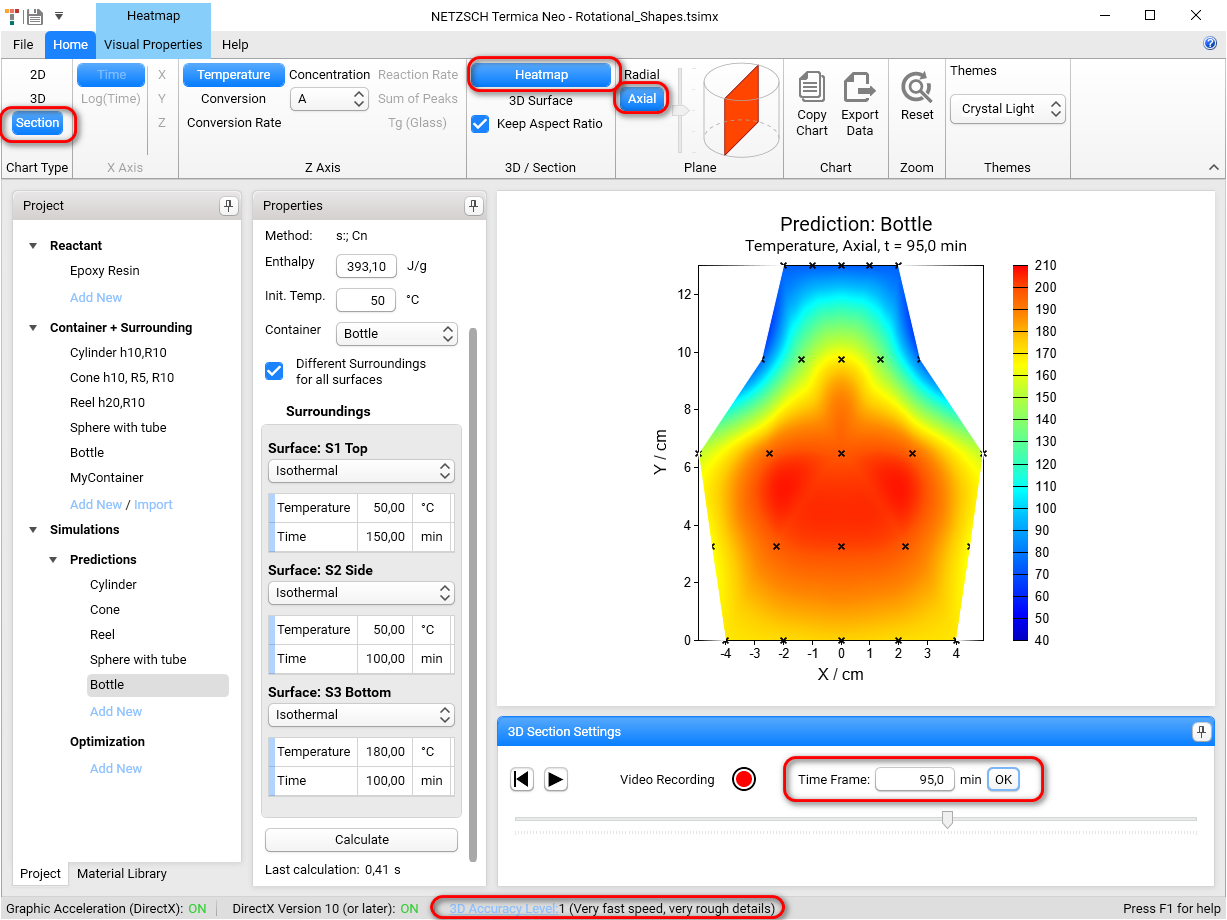
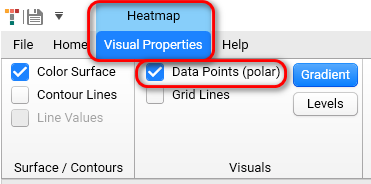
The nodes can be switched On of Off in the view Section - Heatmap, if in Visual Properties the checkbox Data Points is On.
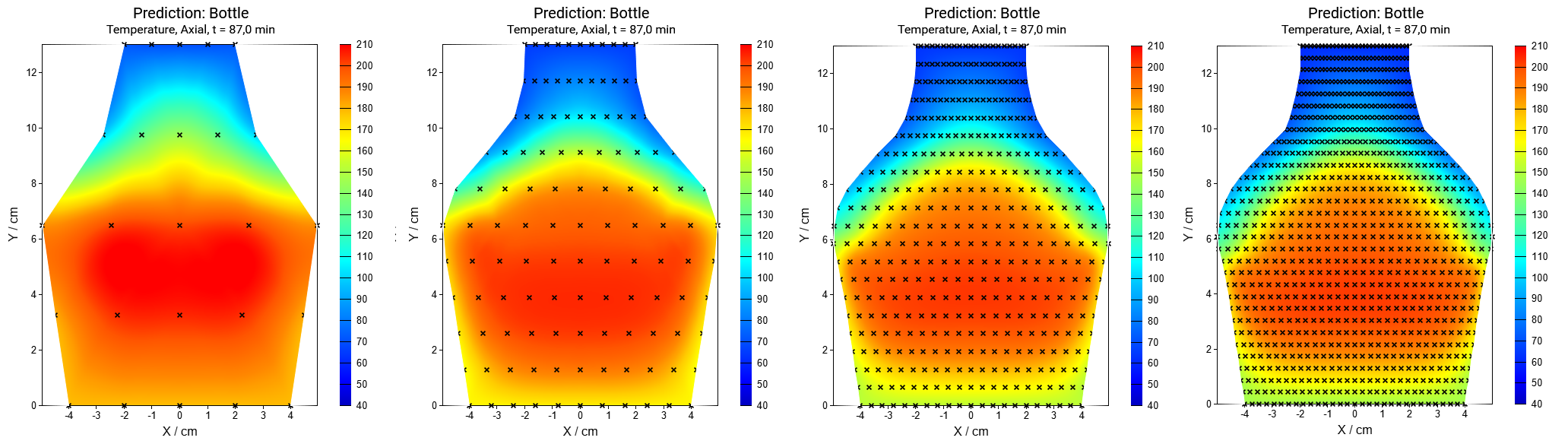
Next figures present the simulation with different Accuracy Level from 1 to 4 and different number of nodes for the reduced thickness of side container=0.1cm:
The Radial cross-section can be presented in the view of Heatmap or 3D Surface.
The Axial cross-section for the rotation shape can be presented in Heatmap view only. It can not be presented in 3D Surface view by design because of complexity of the results interpretation.